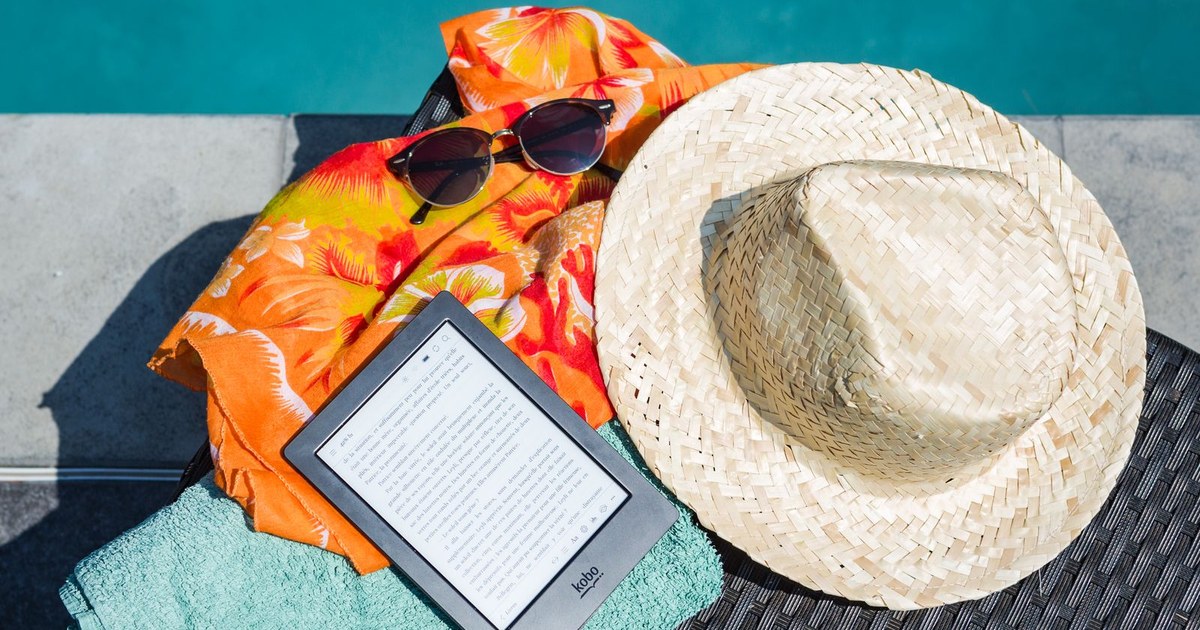
The right e-reader for Libby depends less on the screen than on the road your library books travel to reach it. Some readers have borrowing built in. Some receive books through Amazon. Some run the Libby app itself. Decide which road you can live with, and the shortlist below sorts itself. Every route here was checked against OverDrive's own Libby help pages and announcements, limits stated up front.
The Shortlist
| Device | How Libby books arrive | Watch out for |
|---|
| Kobo Libra Colour | Built-in OverDrive on the device | No Libby audiobooks or magazines |
| Kobo Clara BW | Built-in OverDrive on the device | No Libby audiobooks or magazines |
| Kindle Paperwhite | Read With Kindle, sent by Amazon | United States libraries only |
| PocketBook Era Color / Verse Color | Libby app on the device | New rollout, check your firmware |
| Boox Go Color 7 | Libby app from Android app store | Tablet-style battery life |
| Nook GlowLight | Computer transfer with Adobe Digital Editions | No direct Libby access at all |
Best Overall: Kobo Libra Colour
The Libra Colour has OverDrive built into the device itself. You sign in with your library card on the reader, browse and borrow on the reader, and the book is simply there, with no phone and no computer in the loop. Color makes covers, comics, and children's books look like themselves, and the page turn buttons suit one-handed reading. For a reader whose borrowing is mostly library ebooks, this is the smoothest Libby experience sold today.
Its hard limit matters: Kobo e-readers cannot play Libby audiobooks, and Libby magazines do not arrive on them either. If your library life is half listening, the Kobo becomes your reading device rather than your only device, and the phone stays in charge of audio.
Best Budget: Kobo Clara BW
The Clara BW offers the same built-in OverDrive borrowing in a smaller, cheaper, black and white reader. You give up color and page buttons and keep everything that makes the route pleasant: direct sign-in, on-device borrowing, and syncing with loans you started in the Libby app. For text-only fiction and nonfiction readers, it is the value pick of this list, with the same audiobook and magazine limits as its larger sibling. Kobo currently supports one library card on the device, so heavy multi-library readers will still do some borrowing in the phone app.
Best for Committed Kindle Readers: Kindle Paperwhite
The Paperwhite cannot run Libby and has no library browser on board. Instead, you borrow in the Libby app or website, choose Read With Kindle, and Amazon delivers the loan to the reader. It works well, and it keeps your library books inside the Kindle habits and hardware you already own.
The restriction is geographic and absolute: Kindle delivery works for libraries in the United States only. A card from a library in Canada, the United Kingdom, or anywhere else will never show the Kindle option. If your card is American and your shelves are already Kindle-shaped, the Paperwhite is a fine Libby partner. If not, it is the wrong one.
Best for Audiobook Listeners: PocketBook
PocketBook is the newest road on this page, and it changes the map. OverDrive announced an official PocketBook x Libby app in November 2025, arriving with PocketBook firmware 6.10 and later, with the Era Color and Verse Color among the first devices to carry it. Because it is the real Libby app rather than a borrowing shortcut, it handles the formats Kobo cannot: ebooks, magazines, and audiobooks all live in the same app on the device, and it works with multiple library cards instead of Kobo's one card limit. One honest caveat from the launch period: audiobooks at first play through a streamed web view rather than downloading for offline listening, with downloads planned to follow, so a listener who flies often should confirm the current state of the app before relying on it at altitude. The trade-offs otherwise are a smaller surrounding bookstore and a less familiar brand, but for a listener who wants one device for library reading and listening, it earns its place.
Most Flexible: Boox Go Color 7
The Boox Go Color 7 is an Android e-ink tablet, so you install the full Libby app from the app store, alongside Kindle and Kobo apps if you want them. Everything Libby does on a phone, it does here, on an eye-friendly screen. The cost is tablet behavior: more settings to manage and battery measured in days of mixed use rather than weeks of pure reading.
How holds, returns, and syncing actually behave
The road metaphor decides more than the first borrow. Holds placed in the Libby app appear on a Kobo automatically, because the device and the app read the same OverDrive account, but a hold from a second library card will not, since the Kobo holds only one card at a time. On PocketBook and Boox, where the app itself is the borrower, holds behave exactly as they do on your phone, because it is the same app making the same requests. Kindle loans are the odd ones: the book arrives through Amazon, so early returns and some loan management run through Amazon's own pages rather than Libby's, and a returned book can linger as a ghost cover on the device until it is removed by hand. Reading position syncs across Libby devices for app and Kobo reading; Kindle loans sync through Amazon instead. None of this is a reason to choose or reject a device by itself, but the reader who borrows from three libraries and listens half the time will feel these seams weekly, and the reader with one card and one format will never notice them at all.
What no e-reader fixes
Honesty about the platform matters more than loyalty to a device. Some library titles are not offered in formats any e-reader route can take, and some publishers window library editions in ways no hardware choice can cure. Libby's own extras, the streaming video and courses some libraries bundle, live in the phone and tablet apps, not on e-ink. And every route on this page depends on your library's collection: the finest borrowing device in the world cannot lend you a book your library did not buy. Choose the device for the road, then judge the library by its shelves, and you will have the two decisions in the right order.
The Honest Verdict
Buy the route, not the reader. If you want borrowing that lives on the device, choose a Kobo. If your card is American and your life is Kindle, the Paperwhite route is painless. If audiobooks are half your library use, the PocketBook or Boox are the only e-ink answers. The Nook belongs here only as a warning: computer transfers as its sole route ask the most work for the least return.
Multiple Cards, Multiple Libraries
Serious Libby users rarely hold one card. A second card, from a neighboring system you qualify for or a system that offers nonresident cards, can halve your wait on popular titles, because each library buys its own copies and runs its own queue. How gracefully a device handles that second card is a real buying criterion. The phone app switches between libraries in a couple of taps and searches them together. The PocketBook app was built for multiple cards from the start, since its maker sells hardware without a bookstore of its own. Kobo's built in OverDrive handles one library at a time on the device, so the two card reader with a Kobo borrows the second library's books in the phone app and reads them where they land. Kindle readers feel the friction most: the loans arrive fine, but the device itself shows no sign that two libraries exist. None of this is a defect to be ashamed of in a buying decision. It is a workflow fact, and the reader who knows it in advance arranges her borrowing around it instead of discovering it in an airport.
Reading Settings That Matter More Than Screens
Shoppers compare screen sizes and front lights, but the Libby readers who stay happy for years usually chose on settings. Type size and line spacing decide whether a long novel is comfortable at midnight; both Kindles and Kobos adjust them generously, and Kobo adds weight and margin controls that typography sensitive readers swear by. For readers with low vision, the honest recommendation is often the tablet or phone the shopper was trying to escape, because the Libby app there works with the operating system's magnification and read aloud tools at a level no e-reader matches. For audiobook listeners, playback speed control and sleep timers live in the phone app regardless of which e-reader owns the ebooks, which is one more reason the hybrid setup, e-reader for print, phone for audio, satisfies so many households. Choose the device for the reading you actually do after dinner, not for the reading you did on the product page.
Working the Holds Queue Like a Regular
The difference between readers who wait months and readers who wait weeks is rarely luck. Place holds early and speculatively: the moment a book is announced, reviewed, or mentioned by a friend, join its queue, because a hold costs nothing and a queue position is an asset that only improves. When a hold becomes available at a bad moment, use the deliver later option rather than declining outright; declining sends you to the back of the line, while delivering later keeps your place near the front and lets the next reader take their turn. If you are traveling or mid book, suspend the hold instead, which pauses your advance through the queue without surrendering your seniority in it. And borrow defensively before any trip: download two books more than you expect to read, because a downloaded loan needs no connection, no store, and no luck, and the reader who lands in a dead zone with three unread books aboard has understood the whole system.
Frequently asked questions
Which e-reader works with Libby without a phone or computer at all?
A Kobo. Its built-in OverDrive lets you sign in with a library card, browse, borrow, and read entirely on the device. PocketBook's Libby app achieves the same independence on its newer color devices, with the bonus of audiobooks and magazines, but Kobo's integration is the older and more polished of the two, and it is available across Kobo's whole current line rather than a firmware rollout.
Why can my Kobo not play Libby audiobooks?
Because Kobo's built-in OverDrive covers ebooks only. Libby audiobooks and magazines do not transfer to Kobo e-readers at all, a platform limit rather than a setting you can change. Kobo sells its own audiobooks that play on its devices through its store, but your library's audiobooks are not among them. Listeners should keep the phone app, or choose PocketBook or Boox, whose Libby app plays library audiobooks on the device.
Can I use a Kindle with a library outside the United States?
Not through Libby. The Read With Kindle delivery route works only for libraries in the United States, and the Kindle option simply never appears for cards from Canada, the United Kingdom, or anywhere else. Readers outside the US who want library books on an e-reader should choose Kobo, PocketBook, or Boox, none of which routes library loans through a single country's store.
I have cards from three libraries. Which device handles that best?
PocketBook or Boox, because the full Libby app holds every card you add and searches across them. A Kobo signs in with one library card on the device itself, so your other libraries' books must be borrowed in the phone app and will not sync to the reader. Kindle handles multiple cards in the Libby app too, but each loan still travels the Amazon road, with its United States only limit applied per library.
Is a Boox just a tablet with extra steps?
Nearly, and for some readers that is the point. A Boox runs Android, so it carries the real Libby app plus Kindle, Kobo, and anything else you install, on an e-ink screen that is easy on the eyes and the lamp. What you pay is battery life measured in days rather than weeks and a settings layer a dedicated reader never asks you to think about. If your reading life is Libby only, a Kobo is calmer. If your reading life is scattered across four apps, the Boox is the one device that holds all of it.